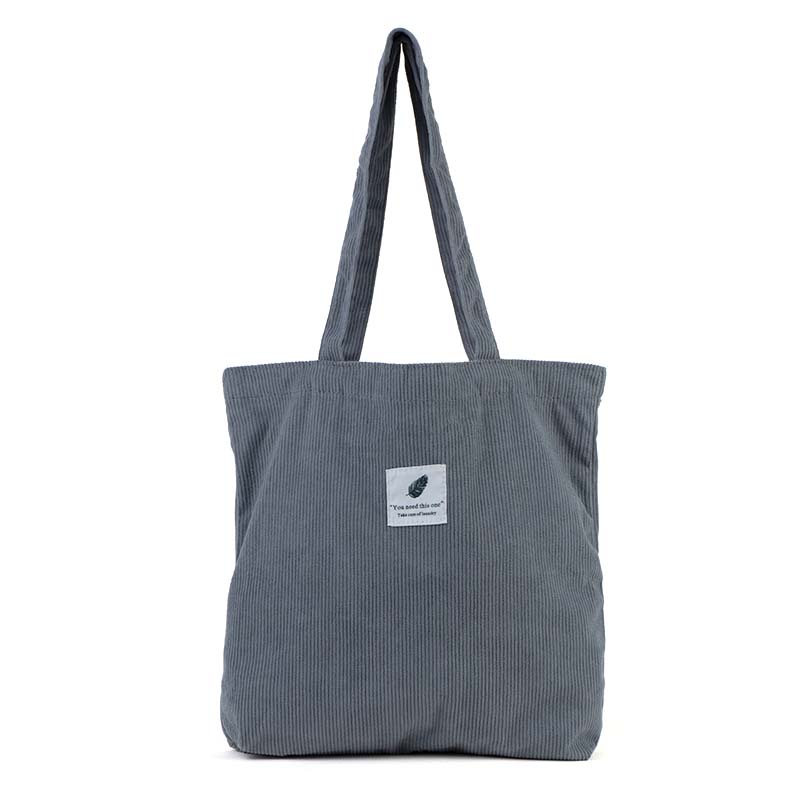
Finding the perfect laptop bag isn’t just about style or brand – it’s about ensuring your valuable device gets the protection it deserves while maintaining a professional appearance. Yet many people make the costly mistake of choosing bags based solely on their laptop’s advertised inch size, only to discover their device doesn’t fit properly or slides around inside the compartment.
The consequences of a poorly fitting bag go beyond mere inconvenience. A bag that’s too small can damage your laptop’s edges and corners, while one that’s too large offers inadequate protection, allowing your device to shift and potentially suffer impact damage. Professional appearance matters too – nothing looks less polished than struggling with an oversized bag or having your laptop peek out of an undersized sleeve.
In this comprehensive guide, you’ll learn exactly how to measure laptop size for bag selection, understand why the advertised screen size can be misleading, and discover the step-by-step process to ensure a perfect fit every time. By the end, you’ll have the confidence to choose bags that offer optimal protection and professional presentation.
Understanding Laptop Size: Inches vs. Actual Dimensions
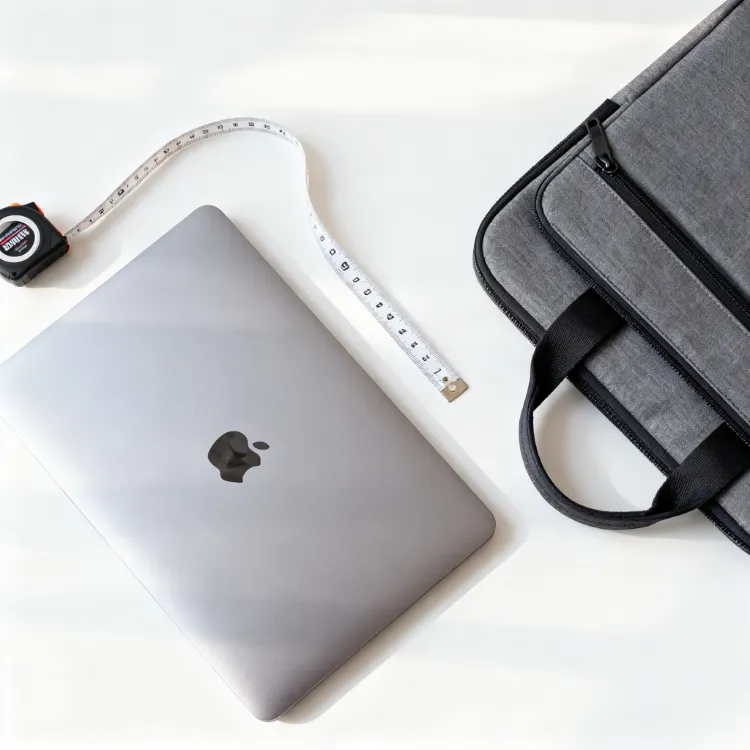
Here’s where many people get confused: when manufacturers say “15.6-inch laptop,” they’re referring to the diagonal measurement of the screen, not the width or height of the actual device. This measurement is taken from one corner of the display to the opposite corner, similar to how TV screens are measured.
This labeling system creates a significant disconnect when shopping for bags. A 15.6-inch laptop isn’t 15.6 inches wide – it’s typically around 14.1 inches wide and 9.8 inches deep. The actual dimensions depend on the bezel size, design choices, and manufacturer specifications, which vary considerably between brands and models.
This is why relying solely on the advertised screen size for bag selection often leads to disappointing results. Two laptops with the same diagonal screen measurement can have noticeably different external dimensions, making a laptop bag size guide based on actual measurements essential for success.
Understanding this distinction is the first step toward making informed decisions about laptop bag compatibility and ensures you’re measuring what actually matters for fit and protection.
Tools You Need to Measure Your Laptop
The good news is that measuring your laptop accurately doesn’t require expensive or specialized equipment. Most people already have everything they need at home.
A standard measuring tape or ruler is your primary tool – either will work perfectly for this task. A measuring tape offers more flexibility for larger devices, while a ruler provides precision for smaller measurements. Having a notebook or smartphone nearby to record your measurements prevents the frustration of forgetting numbers halfway through the process.
For those who want extra precision, especially in business or technical environments, a digital caliper can provide measurements down to fractions of millimeters. This level of accuracy is particularly useful for ultra-thin laptops where every millimeter counts for sleeve and case compatibility.
The most important principle is measuring the actual device, not relying on manufacturer specifications, model numbers, or packaging information. Even laptops from the same product line can have slight variations in dimensions, and real-world measurements account for any protective skins, cases, or slight manufacturing differences your specific device might have.
Step-by-Step: How to Measure Your Laptop
Now let’s walk through the exact process of measuring your laptop to ensure accurate laptop sleeve dimensions and bag compatibility.
Measure the Width (W)
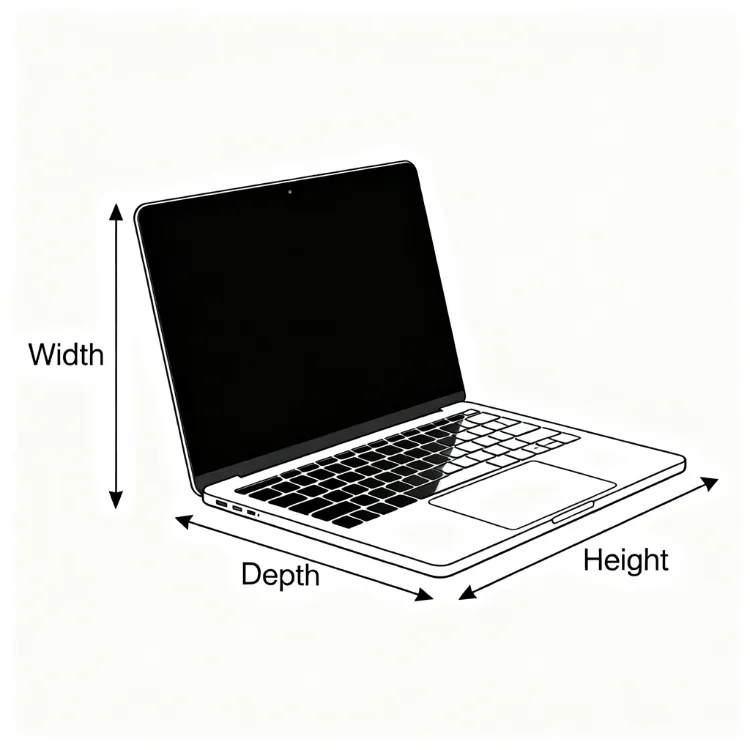
Close your laptop completely and place it on a flat surface. Position your measuring tool at the leftmost edge and extend it to the rightmost edge, measuring the widest part of the device. This typically occurs at the base rather than the screen, as many laptop bases extend slightly beyond the display area. Record this measurement as your width dimension.
Measure the Depth (D)
For the depth measurement, align your measuring tool from the front edge (where you’d rest your palms while typing) to the back edge where the screen hinges attach. Make sure your laptop is fully closed during this measurement, as an open laptop will give you an inaccurate reading that won’t reflect how the device fits in a bag.
Measure the Height/Thickness (H)
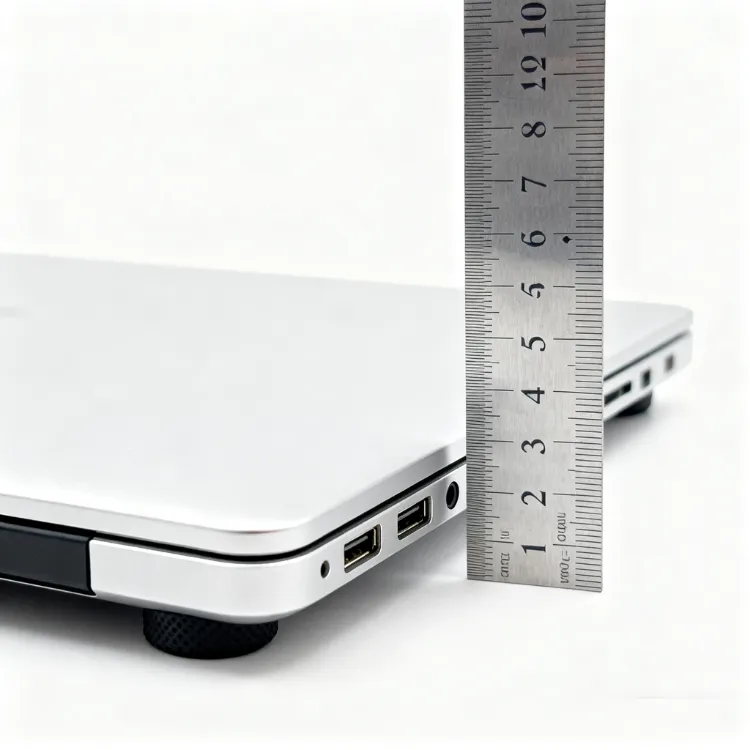
With the laptop closed and sitting flat, measure from the bottom base to the highest point of the top cover. This measurement is crucial because many people underestimate their laptop’s thickness, especially with gaming laptops or devices with extended batteries. Even a difference of a few millimeters can determine whether your laptop fits comfortably in a sleeve or bag compartment.
Measure the Diagonal (Optional)
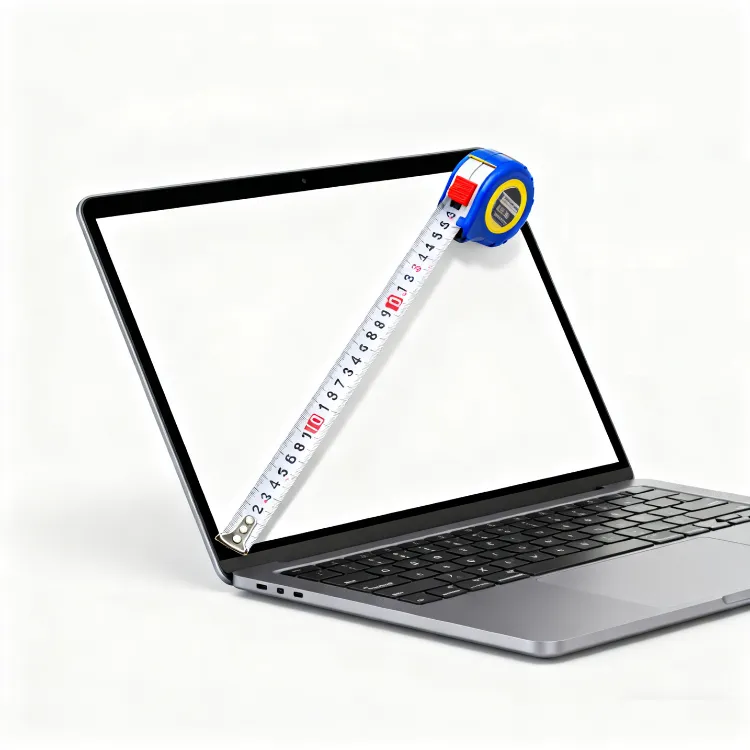
While not necessary for bag fitting, measuring the diagonal can help verify your laptop’s advertised size and give you confidence in your measurements. Measure from one corner of the screen to the opposite corner – this should roughly match the manufacturer’s stated screen size.
Having a visual reference helps enormously during this process. Imagine laying your measuring tape along each edge systematically, ensuring you’re capturing the maximum dimensions in each direction.
Convert Laptop Dimensions to Bag Fit
Once you have your laptop’s exact measurements, the next step is understanding how much additional space to allow for optimal laptop bag fit guide compatibility.
The general rule is adding 1-2 centimeters (approximately 0.5-1 inch) to each dimension for comfortable fit and protection. This extra space serves multiple purposes: it prevents stress on zippers and seams, allows for slight measurement variations, accommodates any laptop accessories or protective skins, and provides room for padding materials that protect your device.
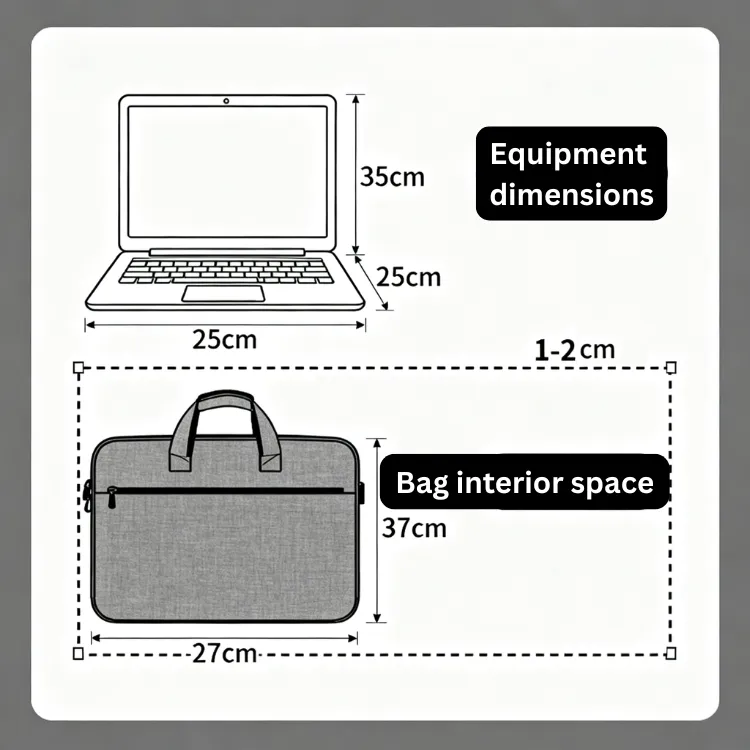
Here’s a practical example: if your laptop measures 35cm × 24cm × 2cm, your ideal bag compartment should be approximately 37cm × 26cm × 3cm. This gives you enough wiggle room without creating excess space where your laptop could shift around during transport.
The consequences of ignoring this spacing principle are significant. Bags that are too tight put stress on your laptop’s edges and corners while making insertion and removal difficult and potentially damaging. Conversely, bags that are too loose provide inadequate protection, allowing your device to slide around and potentially suffer impact damage from sudden movements or drops.
Finding the sweet spot ensures your laptop slides in and out smoothly while staying securely positioned during transport.
Special Considerations by Bag Type
Different bag styles require different fitting approaches, and understanding these nuances helps you make better decisions based on your specific needs.
ラップトップスリーブ
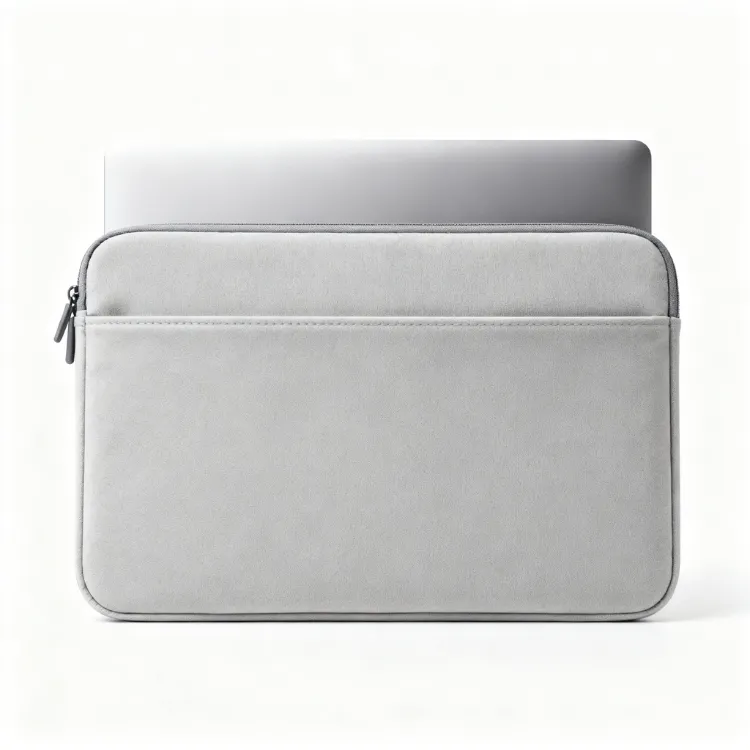
Sleeves are designed for snug fits with minimal padding, so they require the most precise measurements. Add only 0.5-1cm to your laptop dimensions for sleeves, as too much extra space defeats their streamlined purpose. The goal is protective coverage that maintains the laptop’s profile.
Backpack with Laptop Compartment
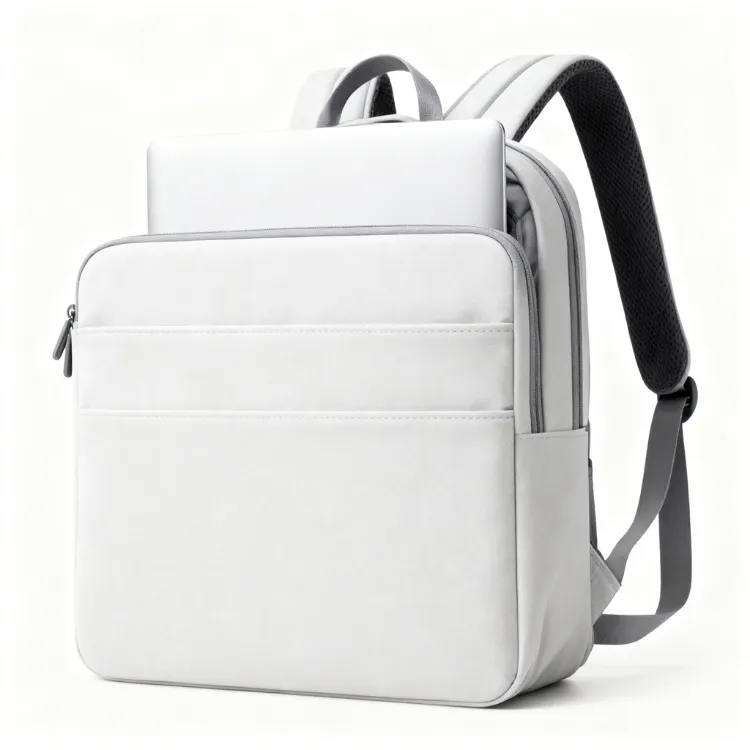
Backpack laptop compartments often include additional storage for accessories, so consider your complete carry needs. Measure not just the laptop compartment but also consider how thick the laptop section becomes when you add chargers, mice, or documents to other pockets.
Messenger or Tote Bag
These bags require careful attention to interior organization and zipper openings. A bag might have adequate internal space but a zipper opening that’s too small for easy laptop access. Measure both the interior compartment and the opening dimensions.
Travel or Business Bag
TSA-friendly compartments have specific design requirements that affect fit. These compartments need to open flat for security screening, so they often require additional clearance space around your laptop.
Tips for Choosing the Perfect Laptop Bag
Armed with accurate measurements, you can now focus on finding a bag that matches both your device size and lifestyle requirements. The perfect how to choose laptop bag decision balances protection, functionality, and professional appearance.
Consider your daily routine: office workers might prioritize professional appearance and document storage, while students need durability and multiple compartments for books and supplies. Frequent travelers benefit from TSA-friendly designs and robust protection against handling by airport security.
Material quality significantly impacts both protection and longevity. Look for adequate padding around the laptop compartment, water-resistant fabrics for weather protection, and reinforced stress points where straps attach to the bag body. Quality zippers and hardware prevent failures that could result in dropped devices.
For businesses seeking custom solutions, OEM and ODM options allow you to create bags with specific interior dimensions, branding elements, and functionality tailored to your organization’s needs. This ensures perfect fit for standard company devices while maintaining brand consistency.
Common Mistakes to Avoid
Learning from others’ mistakes saves time, money, and frustration. Here are the most frequent errors people make when selecting laptop bags.
The biggest mistake is relying solely on model names or advertised screen sizes without taking actual measurements. “MacBook 15” or “Dell 14-inch” tells you very little about the specific dimensions of your device, especially when manufacturers frequently update designs and dimensions within the same product line.
Ignoring thickness is another critical oversight, particularly with gaming laptops, mobile workstations, or devices with extended batteries. These laptops can be significantly thicker than ultrabooks, and a bag that accommodates the length and width perfectly might not zip closed due to height constraints.
Many people also forget to account for laptop accessories in their calculations. If you always carry your charger, mouse, or additional adapters with your laptop, factor these items into your space requirements. A perfectly sized laptop compartment becomes inadequate if you can’t fit your essential accessories.
Quick Reference Laptop Size Chart
これは laptop measurement chart provides approximate dimensions for common laptop sizes, but remember that actual measurements can vary significantly between manufacturers and models.
| Laptop Size | Approximate Dimensions (cm) | Suggested Bag Interior Size (cm) |
|---|---|---|
| 13-inch | 30.4 × 21.2 × 1.5 | 32 × 23 × 2.5 |
| 14-inch | 32.5 × 23 × 1.8 | 34.5 × 25 × 3 |
| 15.6-inch | 36 × 25 × 2 | 38 × 27 × 3.5 |
| 17-inch | 41 × 28 × 2.5 | 43 × 30 × 4 |
Use this chart as a starting point, but always verify with your own measurements for the most accurate results. Variations in design, bezels, and manufacturing can create significant differences even within the same nominal size category.
結論
Measuring your laptop correctly is the foundation of finding a bag that provides excellent protection while meeting your professional and practical needs. By taking accurate measurements of width, depth, and thickness, then adding appropriate clearance space, you ensure your laptop fits comfortably without the risks associated with bags that are too tight or too loose.
Remember that the advertised screen size is just a starting point – real-world dimensions vary considerably between models and manufacturers. Taking five minutes to measure your specific device saves the frustration of returns, exchanges, and potentially inadequate protection for your valuable technology investment.
The small effort invested in proper measurement pays dividends in device protection, professional appearance, and daily convenience. Whether you’re carrying a lightweight ultrabook or a powerful gaming laptop, the principles remain the same: measure accurately, allow appropriate clearance, and choose bags designed for your specific use case.
Once you know your laptop’s exact dimensions, explore our range of custom laptop bags designed to fit perfectly and protect your device – whether for office use, retail display, or corporate gifting. Our collection includes options for every size requirement and professional setting, ensuring your technology investment stays safe and looks great.
ホットタグ 注文の非編まれた薄板にされたトート バックの卸売 中国, サプライヤー, メーカー, 工場, 卸し売り, 大量生産, 販売、 エコ・フレンドリー・トートバッグ, コットンキャンバストートバッグ, ラペットバッグ, 折りたたみトートバッグ, コットン・スーツ・ガーメント・バッグ, キャンバスコットン巾着袋,保冷バッグ,キャンバスコスメティックバッグ,ロゴ入り不織布トートバッグ
注目商品

ブラックPVCトートバッグ